How to Check Organic Traffic on Your Site and Competitors
Last updated November 2026
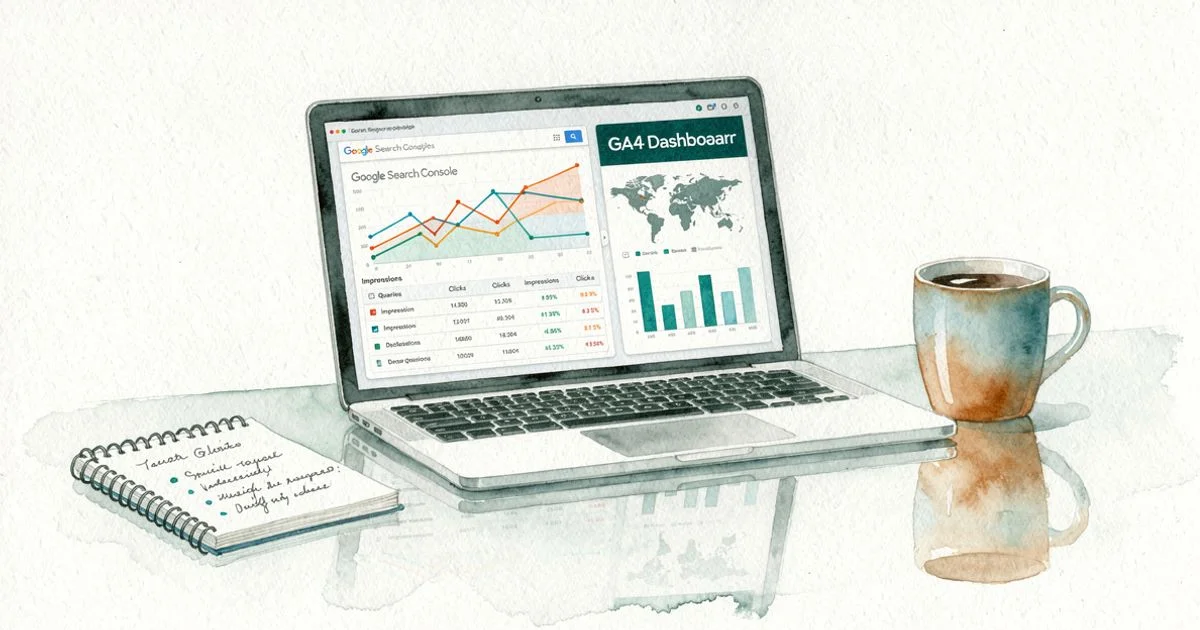
To check organic traffic on your own site, open Google Search Console and go to Performance > Search results. There you will see clicks, impressions and the queries that brought people in. Then confirm sessions in Google Analytics 4 under Reports > Acquisition > Traffic acquisition, filtered to Organic Search.
For a competitor website, use a website traffic checker such as Ahrefs, Semrush, SE Ranking or Similarweb. These tools estimate visits from ranking keywords and search volume. They do not measure visits directly. Organic traffic is the visitors who reach your site from unpaid search results, and it deserves a regular check.
Here is why a schedule matters. According to BrightEdge Research, organic search drives 53% of all trackable website traffic. Yet according to Ahrefs, 96.55% of all pages get zero organic search traffic from Google. Most sites depend on organic visits, and most pages earn none. A weekly look tells you which side of that line your pages sit on.
How do you check organic traffic?
The method depends on whose site you are looking at. For your own site, you use first-party data from Google. For a competitor website, you rely on third-party estimates. Both are useful, but they answer different questions, so keep them separate in your head.
Your own site: Google Search Console and GA4
How do I check organic traffic for my own website? Follow these steps in order:
- Open Google Search Console and select your property.
- Go to Performance > Search results.
- Turn on Total clicks, Total impressions, Average CTR and Average position.
- Open the Queries tab to see your top organic keywords, then the Pages tab for top landing pages.
- In Google Analytics 4, go to Reports > Acquisition > Traffic acquisition.
- Filter the session default channel group to Organic Search.
Search Console shows what happened on Google search. GA4 shows what those visitors did next, such as total organic sessions and users, engagement and conversions. GA4 also splits new vs returning organic visitors in the User acquisition report, which tells you whether search brings fresh audiences or repeat readers.
Is there a free tool to check organic traffic? Yes. Both Search Console and Google Analytics are free. Google Search Console keeps up to 16 months of performance data, according to Google Search Central, which is enough for a proper year-over-year comparison.
Someone else's site: third-party traffic checkers
How can I check a competitor's organic traffic? Paste their domain into a traffic checker such as Ahrefs Site Explorer, Semrush Domain Overview, SE Ranking or Similarweb. You will see estimated monthly organic visits, ranking keywords, top pages and a traffic trend line.
Most of these tools offer a free version or a limited free lookup. Ahrefs has a free website traffic checker, and Semrush data is available on a free account with daily limits. Serpstat and similar tools work the same way. Use them to check website traffic patterns, not to quote exact numbers.
What is organic traffic?
Organic traffic refers to visits that come from unpaid listings in search engines. Someone types a query into Google search, Bing or another engine, sees your page in the results, and clicks. You did not pay for that click. You earned it through relevance and SEO.
Organic clicks vs organic sessions
A click is the moment a searcher taps your result on the SERP. A session is a visit that your analytics tag records on your site. Search Console reports clicks. GA4 reports sessions. One click usually becomes one session, but not always, because tracking can fail or a visitor can leave before the page loads.
What counts as organic search (and what does not)
Organic search includes standard blue links, featured snippets and clicks from Google AI Overviews and AI Mode, which Google reports inside the normal web search data. It does not include paid ads, email, social posts on Facebook or other platforms, or visits from links on other websites. Those fall under paid, social, referral or direct channels in your traffic data.
Why checking organic traffic matters
Organic search is often the largest source of website traffic and the one that compounds over time. Checking it regularly turns a vague sense of "SEO is working" into numbers you can act on.
Spotting content decay before it costs you leads
Pages lose rankings slowly. A post that ranked third last year might sit on page two now. If you compare the Pages report over several months, you see the decline early. Updating that page while it still ranks is far cheaper than rebuilding traffic from scratch.
Knowing which pages and keywords actually drive revenue
Traffic alone does not pay the bills. When you connect Search Console queries to GA4 conversions, you learn which organic keywords bring signups or sales. That tells you where to invest new content and which high-traffic pages are just vanity numbers.
Seeing whether Google and AI answers are sending you visitors
Search results now mix links with AI summaries. Some queries that used to send clicks now get answered directly on the page. Tracking impressions against clicks shows whether you still win visits, and checking AI referrals shows whether tools like ChatGPT cite you at all.
How checking organic traffic works
Every number you see comes from one of two places: data Google collects about your own site, or a model a tool builds about any site. Knowing which is which keeps your traffic analysis honest.
Where first-party data comes from: clicks, impressions and sessions
Google records impressions every time your page appears in results and clicks every time someone selects it. Search Console then reports those numbers with the query, page, country and device. GA4 collects sessions through a tag on your site, so it only sees visitors whose browsers load and allow that tag.
How traffic checkers estimate visits from rankings and search volume
How accurate are website traffic checkers like Ahrefs and Semrush? They are directionally useful but not exact. A tool finds the keywords a site ranks for, takes each keyword's estimated search volume, and applies an expected click-through rate for that ranking position. Add those up and you get an estimate of monthly visits.
Errors creep in at every step. Search volume is itself an estimate. Click-through rates vary with SERP features and AI Overviews. Tools also miss long-tail keyword performance, because they cannot track every rare query. So treat estimates as good for comparing trends and spotting top pages, and weak for absolute counts.
Why Search Console and GA4 numbers never match exactly
Why is my organic traffic different in Google Search Console and Google Analytics? Search Console counts Google clicks only. GA4 counts sessions from all search engines, including Bing. Cookie consent banners, ad blockers and slow tracking scripts mean GA4 often misses visits. Search Console also hides some rare queries for privacy, so its query totals look smaller than its overall click total.
Reading trends: month-over-month vs year-over-year
A month-over-month (MoM) comparison is good for spotting sudden changes, such as a drop after an algorithm update. A year-over-year (YoY) comparison is better for judging real organic traffic growth or decline, because it removes seasonal swings. A tax software site will always dip after April. Comparing to last April shows whether the dip is normal.
Examples: checking organic traffic in practice

These scenarios show how the same reports answer very different questions. Each one uses free tools first and paid tools only where they add something.
A SaaS founder finding which blog posts bring signups
A founder opens GA4, goes to the Landing page report, and filters to Organic Search. She adds signups as a key event. Two older how-to posts drive most trial signups, while a popular industry news post drives none. She shifts her content plan toward more practical guides on related organic keywords.
A growth marketer catching a traffic drop after a Google update
A marketer sees clicks fall in Search Console over a week. He uses the Compare date range option to line up the two periods, then sorts the Pages tab by click difference. The losses cluster in thin comparison pages. He checks keyword ranking positions for those pages, notes the declines, and rewrites them with original testing.
Sizing up a competitor website before a content push
Before investing in a new topic, a content lead checks a competitor website in Semrush and Ahrefs. She exports their top pages and ranking keywords, notes search volume and keyword difficulty, and spots gaps where the competitor ranks poorly. The estimates are rough, but the pattern of which topics earn traffic is clear enough to plan around.
Separating branded from non-branded organic traffic
Branded vs non-branded keywords tell different stories. Branded queries reflect existing demand for your name. Non-branded queries reflect true SEO reach. In Search Console, add a query filter that excludes your brand name and its common misspellings. What remains is non-branded traffic, the number that shows whether your content wins new audiences.
Spotting clicks lost to AI Overviews
A publisher notices impressions rising while clicks stay flat on question-style queries. Average position held steady. The likely cause is AI Overviews answering the question on the results page. She checks those queries manually in Google, confirms an AI summary appears, and restructures her pages to earn the citation inside the overview.
Organic traffic vs paid, direct, referral and AI referral traffic
GA4 sorts every visit into a channel. Knowing the difference between channels helps you work out the percentage of total website traffic that comes from organic search, and whether that share is growing.
| Channel | Where it comes from | Where to check it |
|---|---|---|
| Organic search | Unpaid search results, including AI Overviews | Search Console, GA4 Organic Search |
| Paid search | Google Ads and other search ads | Google Ads, GA4 Paid Search |
| Direct | Typed URLs, bookmarks, untracked links | GA4 Direct |
| Referral | Links on other websites | GA4 Referral |
| AI referral | ChatGPT, Perplexity, Gemini links | GA4 Referral, filtered by source |
Organic vs paid search traffic
Paid search stops the moment your budget stops. Organic traffic keeps arriving as long as you hold your rankings. Both appear on the same results page, but GA4 tags ad clicks as Paid Search, so they never inflate your organic numbers when tracking is set up correctly.
Organic vs direct traffic
Direct traffic is the bucket for visits with no known source. Some of it is real, like people typing your URL. Some is misattributed traffic from apps, documents or stripped referrers. If direct traffic jumps while organic falls, check your tracking setup before assuming you lost rankings.
Organic traffic vs AI visibility in ChatGPT and Gemini
Does traffic from AI Overviews and ChatGPT count as organic traffic? AI Overviews clicks do, because Google counts them in Search Console. ChatGPT, Perplexity and Gemini visits usually land in GA4 as referral traffic. Many AI answers mention a brand without any click at all, so you also need to track whether those engines cite you.
Traffic checker vs rank tracker
What is the difference between a traffic checker and a rank tracker? A traffic checker estimates how many visits a site gets. A rank tracker records exactly where specific pages rank for chosen keywords, often daily. Use the checker for competitor research and the tracker to monitor keyword ranking improvements and declines on your own pages.
What to do next
You do not need a large stack to do good website traffic analysis. Three steps cover most of what founders and marketers need.
Set up Google Search Console and GA4 properly
Verify your domain property in Search Console so you capture every subdomain and protocol. Link Search Console to GA4 so you can see queries next to engagement. Mark signups or purchases as key events. Then save a Traffic acquisition report filtered to Organic Search so you can check it in seconds.
Pick one traffic checker for competitor research
Choose one tool and stick with it. Every website traffic checker uses a different model, so switching between them makes trends look noisy. Ahrefs, Semrush and SE Ranking all cover organic keywords well. Similarweb leans toward total website traffic across channels. Compare competitors inside the same tool only.
Track rankings and AI visibility in one place
Search Console tells you what happened. A rank tracker shows why, by tying traffic changes to specific keyword moves. Pair that with AI visibility tracking, so you see whether ChatGPT, Gemini and Google AI Overviews mention you. Keeping both views together saves you from guessing where a drop came from.
FAQs
These frequently asked questions cover the points people raise most often when they first check website traffic.
What is the easiest free way to check organic traffic?
Google Search Console is the easiest free option for your own site. Open Performance > Search results to see organic clicks, impressions, average position and the queries people used. It is first-party data from Google, so it is more accurate than any third-party estimate. Pair it with GA4 to see what visitors do after they land.
Can I check a competitor's organic traffic?
Yes, but only as an estimate. Tools like Ahrefs, Semrush, SE Ranking and Similarweb estimate visits by multiplying a site's ranking positions by keyword search volume and expected click-through rate. Use them to compare trends and spot top pages, not as exact visitor counts. Their real value is showing which topics earn a competitor the most traffic.
Why don't Google Search Console and Google Analytics show the same organic numbers?
They measure different things. Search Console counts clicks from Google search results, while GA4 counts sessions on your site, including visits from Bing and other engines. Cookie consent banners, ad blockers and slow-loading tracking scripts also mean GA4 usually reports fewer visits than the clicks Search Console records. Watch the trend in each tool rather than forcing them to match.
Does traffic from ChatGPT or Google AI Overviews count as organic traffic?
Clicks from Google AI Overviews and AI Mode are reported as organic Google traffic in Search Console. Visits from ChatGPT, Perplexity or Gemini usually show up in GA4 as referral traffic, so you need to check them separately. You should also track whether those tools cite you at all, because many AI answers mention brands without sending a click.
How accurate are website traffic checkers like Ahrefs and Semrush?
They are good at showing direction and weak at exact counts. Estimates can run high or low depending on the niche, how many long-tail queries a site ranks for, and how many SERP features sit above the organic results. Compare a tool's estimate for your own site against Search Console to learn how far off it tends to be.
How often should I check organic traffic?
Check it weekly for a quick trend look and monthly for a proper review. Compare year-over-year rather than only month-over-month, so seasonal dips don't look like real losses. A short weekly habit catches problems early, and the monthly review is where you decide which pages to update or build next.
Conclusion: make organic traffic a number you check every week
Organic search sends most sites a large share of their visitors, yet most pages earn nothing from it. Use Search Console and GA4 for your own site, one traffic checker for competitors, and a year-over-year view to judge real growth. Add AI visibility to the routine, because Google and AI answers now share the same searchers.
If you want rankings, Search Console data and AI citations in one weekly view, Zivooo gives you daily Google rank tracking, Search Console insights, AI visibility tracking in ChatGPT, AI Overviews and Gemini, plus keyword research and competitor-based content plans. It is a practical option for founders and marketers who want to see where Google and AI answers send visitors.
WRITTEN BY

Muntasir Rashid
Hello 👋 I’m Muntasir, founder of Zivooo and a content marketer with 20+ years of hands-on experience in marketing, growth, and building businesses.
I’ve spent the last two decades marketing my own ventures and helping clients grow through content, SEO, and digital marketing. Along the way, I’ve learned that the best strategies rarely come from theory, they come from testing, experimenting, failing, and figuring out what actually works.
Content marketing and growth are my forte. Here, I share practical insights, experiments, and lessons from the trenches covering SEO, GEO, AEO, AI search, and growth strategies for modern tech companies.
Keep learning, keep growing
We have more articles on similar topics to help grow your business.

How to Check Web Traffic of a Website: Yours or Any Competitor's
How to check web traffic of a website: use Google Analytics 4 and Search Console for your own site, or a third-party tool to estimate any competitor's traffic.


DR Checker: What Your Domain Rating Score Really Means
A DR checker reveals your Domain Rating, a 0-100 score measuring backlink profile strength. Learn what the score means, how it is calculated, and how to use it.