SEO Friendly Links: What They Look Like and Why They Work
Last updated October 2026
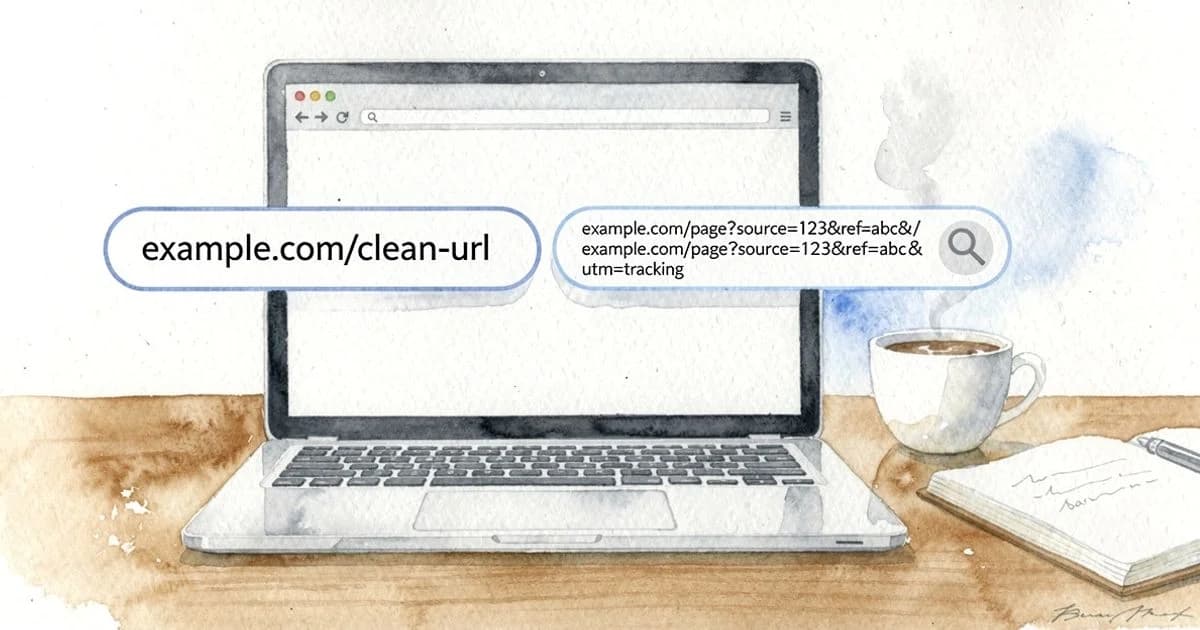
SEO friendly links are short, readable URLs that tell people and search engines what a page is about. Think example.com/seo-friendly-links instead of example.com/?p=4821. They use lowercase words, hyphens to separate words, the page's main keyword, HTTPS, and as few folders and parameters as possible.
According to Google Search Central, you should use hyphens rather than underscores and simple, descriptive words rather than long ID numbers. A Backlinko analysis of 11.8 million Google search results found that shorter URLs tend to rank above long ones. Pair clean URLs with descriptive anchor text on your internal links, and you give Google and AI answers a clear signal about every page.
What Does an SEO Friendly Link Look Like?
The fastest way to understand an SEO friendly URL is to put a good one next to a bad one. The good version reads like a label. The bad version reads like a database query, because that is usually what it is.
| Page type | SEO friendly | Not SEO friendly |
|---|---|---|
| Blog post | example.com/blog/seo-friendly-links | example.com/blog/?p=4821 |
| Category | shop.com/running-shoes | shop.com/cat.php?id=77&sessionid=a9f3 |
| Feature page | app.com/features/rank-tracking | app.com/2023/06/new_Rank_Tracking_Feature_Launch |
| Internal link | Read our URL structure guide | To learn more, click here |
Each good example is lowercase, short, and uses descriptive keywords a reader would recognize. Nothing in it changes when a session ends or a date passes. That stability is what makes friendly urls easy to crawl, share, and cite.
What Is an SEO Friendly Link?
An SEO friendly link is a web address built for humans first and search engines second, with no conflict between the two. It describes the content, avoids clutter, and stays consistent over time. The term also covers the hyperlinks that point to that address.
The Parts of a URL: Protocol, Domain, Path and Slug
Every URL has four parts worth knowing. The protocol is HTTPS or HTTP, and HTTPS signals a valid security and certificate setup. The domain is your site name. The path holds folders such as /blog/. The slug is the final segment that names the specific page.
Take https://example.com/blog/seo-friendly-links as a sample. The protocol is https, the domain is example.com, the path folder is /blog/, and the slug is seo-friendly-links. Most url optimization work happens in the path and slug, because you control those directly.
Two Meanings: The URL Itself and the Link Pointing to It
People use "SEO links" in two ways. The first meaning is the URL itself, the address in the browser bar. The second is the hyperlink that points to it, including the clickable words, called anchor text. A clean URL with vague anchor text only does half the job.
This article covers both, because they work as a pair. The URL tells Google what a page is. The internal links and backlinks pointing at it tell Google how that page relates to everything else and how much it matters.
Why SEO Friendly Links Matter for Google and AI Answers
Crawling and Indexing Efficiency
Google has to crawl a page before it can rank it. According to Google Search Central, overly complex URLs with many parameters can create large numbers of duplicate URLs that point to the same content, which wastes crawl resources. A simple url structure keeps crawlers focused on the pages you actually want found.
Click-Through Rate in Search Results
Google often shows the URL or a breadcrumb path above your title in results. A readable path such as example.com › blog › seo-friendly-links confirms the page matches the search. A string of numbers gives the searcher nothing, so they are more likely to pick a result that looks clearer.
Shareability and Trust
People paste URLs into Slack, email, and social posts. A short, readable address looks safe and tells the recipient what they will get. A long address full of tracking strings looks like spam and often gets truncated, which breaks the link entirely.
How AI Engines Read and Cite Your URLs
AI answer engines such as ChatGPT, Gemini, and Google AI Overviews show source links next to their answers. A descriptive URL is a small but real clue about what the page covers. When the slug, title, and heading all agree, an engine has an easier time matching your page to a question and citing it with confidence.
How SEO Friendly Links Work
How Google Reads Words in a URL
Google reads the words in a URL as a light relevance signal, alongside the title and content. Keyword placement matters: put the main keyword in the slug, ideally near the start, and drop filler words like "and" or "the" when they add nothing. One clear keyword phrase beats a stuffed slug that repeats terms.
URL length matters too. The Backlinko study found shorter URLs tend to rank above longer ones. That does not mean length causes rankings, but short URLs usually come from focused pages with a clear topic, and that focus is what pays off.
Why Hyphens Separate Words and Underscores Join Them
Google's guidance recommends hyphens to separate words in URLs. A hyphen works like a space, so seo-friendly-links reads as three distinct words. An underscore can make words read as one joined term, so seo_friendly_links may be less clear. Spaces get encoded as %20, which looks broken.
Case sensitivity is the other quiet problem. Servers can treat /Running-Shoes and /running-shoes as two different pages. Sticking to lowercase letters everywhere removes that risk and stops accidental duplicate URLs from appearing when someone links with the wrong capitalization.
How Parameters Create Duplicate URLs
URL parameters are the parts after a question mark, like ?color=red&sort=price. Dynamic parameters for filters, sorting, session IDs, and tracking strings such as utm_source can generate thousands of addresses that all show the same content. Google Search Central warns that this wastes crawl resources, and it can split ranking signals across copies.
The fix is URL consistency. Pick one preferred version of each page, point a canonical tag at it, and keep tracking strings off your internal links. Parameters are fine for analytics in campaigns, but they should never be the address you link to inside your own site.
How Folder Depth Signals Site Hierarchy
Folders show URL hierarchy. A path like /shoes/running/trail tells Google and readers where a page sits in your site architecture. That helps, as long as you keep it shallow. Two or three levels usually cover even large sites, and deeper paths make URLs long without adding meaning.
Folders also support content silos and topic clusters. A /guides/seo/ folder holding related articles groups them as one topic. Breadcrumb navigation that mirrors those folders gives users a way back up the tree and gives Google another clear view of the hierarchy.
How Anchor Text and Internal Links Pass Context
Internal links carry two signals. The link itself passes importance from one page to another, so pages with more relevant internal links tend to look more important. The anchor text describes the destination, so "URL structure best practices" tells Google far more than "read more."
Anchor text optimization does not mean exact-match keywords on every link. Vary the wording naturally while keeping it descriptive. A good internal link strategy links each cluster article to its pillar page, links the pillar back out, and makes sure no important page sits without any links at all.
Examples of SEO Friendly Links (and the Bad Versions)
Blog Post: Slug With the Target Keyword
Good: example.com/blog/url-structure-best-practices. Bad: example.com/blog/2021/03/14/our-10-favorite-tips-for-creating-seo-friendly-urls-that-actually-work. The good slug holds the keyword and nothing else. The bad one carries a date, a number that will go stale, and filler words that push the length past any useful point.
Ecommerce Category: Shallow Folders, No Session IDs
Good: shop.com/mens/running-shoes. Bad: shop.com/catalog/department/footwear/men/athletic/running/?sessionid=8f2a. The good version is two folders deep and stable. The bad version buries the category six levels down and adds a session ID, so every visitor creates a new duplicate address for Google to sort out.
SaaS Feature Page: Short and Evergreen, No Dates
Good: app.com/features/rank-tracking. Bad: app.com/2024/new-rank-tracking-feature-launch. Dates in URLs make a page look old the moment the year changes, and they force a redirect if you update the content. Feature pages should outlive any single launch, so keep the slug evergreen.
Filtered Pages: Parameters Handled With Canonicals
Filters are useful, so you do not have to remove them. shop.com/running-shoes?color=blue can exist for shoppers, but its canonical tag should point to shop.com/running-shoes. That keeps one indexable version while still letting people filter. Only build a static, indexable URL when a filter matches real search demand, such as /running-shoes/trail.
Internal Link: Descriptive Anchor Text vs 'Click Here'
Good: "See our guide to 301 redirects for URL changes." Bad: "To learn about redirects, click here." The good anchor describes the destination in words Google can read. The bad anchor gives no context, so the linked page gains little from it, and screen reader users get no clue where they are going.
SEO Friendly Links vs URLs, Permalinks, Backlinks and Anchor Text
SEO Friendly Link vs SEO Friendly URL
An SEO friendly URL is the address alone. An SEO friendly link includes the address plus the hyperlink and anchor text pointing to it. In practice, people use the terms interchangeably, but thinking about both keeps you from fixing your URLs while ignoring how you link to them.
Permalink vs Slug
A permalink is the full permanent URL of a post, such as example.com/blog/seo-friendly-links. The slug is just the last part, seo-friendly-links. Your permalink structure is the site-wide pattern, set once in your CMS. The slug is what you write for each individual page.
Internal Links vs Backlinks
Internal links connect pages on your own domain, and you control them completely. Backlinks come from other sites to yours, and you can only influence them. Both pass value. Clean URLs make backlinks easier to earn, because people trust and copy short, readable addresses more readily.
Anchor Text vs URL Text
URL text is what sits in the address. Anchor text is the clickable wording in a link. They should agree in meaning but not match word for word every time. If your slug is /url-structure, anchors like "URL structure tips" or "how to structure URLs" both work well.
What to Do Next: Audit and Fix Your Links
Once you understand why SEO friendly links work, fixing them is mostly a matter of rules and follow-through. Work through these four steps in order.
Check Your URLs Against a Short Checklist
Run each important URL through these best practices for creating SEO friendly URLs:
- HTTPS: the URL starts with https, not http.
- Lowercase: only lowercase letters, no mixed case.
- Hyphens: hyphens to separate words, no underscores or spaces.
- Keyword: the slug includes the page's main keyword.
- Length: roughly under 60 characters where possible.
- Depth: two or three folders at most.
- Clean: no session IDs, tracking strings, or random characters.
- Evergreen: no dates unless the content is truly time-bound, like news.
Set Slug Rules in WordPress or Ghost
In WordPress, go to Settings, then Permalinks, and choose "Post name" so URLs use the slug instead of ?p= IDs. Then edit each slug before publishing to trim it down to the keyword. Ghost uses the post title as the slug by default, so shorten it in post settings before you hit publish.
Redirect Changed URLs With a 301
When you change a live URL, set up a 301 redirect from the old address to the new one. A 301 tells Google the move is permanent and passes most link value across. Then update every internal link to point straight at the new URL, so visitors and crawlers skip the redirect hop.
Find Orphan Pages and Add Internal Links
Orphan pages are pages with no internal links pointing to them. Google may struggle to find them, and they rarely rank. Crawl your site with an audit tool, compare the result with your sitemap, and add descriptive internal links from related pages to anything left stranded.
FAQs
What Type of Links Are Best for SEO?
The best links are short, descriptive URLs that include the page's main keyword, plus internal and external links that use descriptive anchor text. A link from a relevant, trusted site to a clean URL on yours carries more weight than a link with vague text like "click here." Relevance and clarity matter more than sheer volume.
What Are SEO Links?
SEO links usually means two things: the URLs of your pages, and the hyperlinks that point to them. Both matter. Clean URLs help search engines understand a page, and internal links and backlinks with descriptive anchor text tell them how pages relate to each other and which ones deserve to rank.
What Are SEO Friendly Websites?
An SEO friendly website is one Google can crawl, understand, and trust easily. That means clean URLs, a logical site architecture, fast pages, responsive design for mobile, HTTPS, and strong internal linking. Good URL management is one of the simplest parts to get right, and it supports everything else.
How Do You Check if a URL Is SEO Friendly?
Read it out loud. If it is lowercase, uses hyphens between words, includes the main keyword, starts with https, has no session IDs or random strings, and stays roughly under 60 characters, it passes. An SEO audit tool can flag the ones that do not pass across your whole site in one crawl.
Should You Use Hyphens or Underscores in URLs?
Use hyphens. Google's URL guidance recommends hyphens because they separate words, so seo-friendly-links reads as three words. Underscores can cause words to be read as one, which makes the URL less clear to search engines and people. Pick hyphens and apply them consistently across the site.
Do Dates in URLs Hurt SEO?
Dates in URLs do not directly cause a penalty, but they create problems. They make content look stale once the year passes, they lengthen the URL, and they force a 301 redirect whenever you refresh and republish. Keep dates out of evergreen guides and product pages. News sites are the main exception.
Should You Change Old URLs to Make Them SEO Friendly?
Only when the gain is clear, because changing a live URL can cost rankings and break backlinks for a while. If you do change one, set up a 301 redirect from the old URL to the new one and update your internal links to point straight at the new address. Leave well-ranking pages alone.
Conclusion: Clean Links Are the Cheapest SEO Win You Have
SEO friendly links cost nothing to create and very little to maintain. Short, lowercase, hyphenated URLs with one clear keyword help Google crawl efficiently, help searchers click, and help AI engines cite you. Descriptive internal links finish the job by showing how your pages fit together. Set the rules once, audit your site, and redirect carefully when you change anything.
If you want to audit your URLs and internal links and then keep new pages clean from day one, Zivooo gives you keyword research, a content plan built from competitor data, a live editor scoring 40+ SEO, GEO and AEO factors, publishing to WordPress and Ghost, and AI visibility tracking. It is a practical option for marketers and founders who want pages that rank in Google and get cited in AI answers.
WRITTEN BY

Muntasir Rashid
Hello 👋 I’m Muntasir, founder of Zivooo and a content marketer with 20+ years of hands-on experience in marketing, growth, and building businesses.
I’ve spent the last two decades marketing my own ventures and helping clients grow through content, SEO, and digital marketing. Along the way, I’ve learned that the best strategies rarely come from theory, they come from testing, experimenting, failing, and figuring out what actually works.
Content marketing and growth are my forte. Here, I share practical insights, experiments, and lessons from the trenches covering SEO, GEO, AEO, AI search, and growth strategies for modern tech companies.
Keep learning, keep growing
We have more articles on similar topics to help grow your business.
SEO Keyword Usage: How to Place Keywords Without Stuffing
SEO keyword usage means placing one primary keyword in your URL, title, H1, and intro, then supporting it with variations. Learn how to do it without stuffing.


Why Is Content Marketing Important? How It Earns Customers
Content marketing is important because it builds trust, drives organic traffic, and generates 3x more leads at 62% less cost than traditional marketing.